
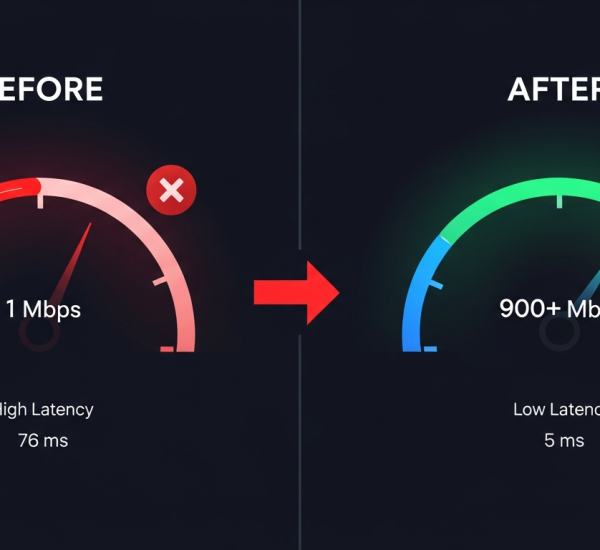
A slow connection can turn an ordinary American household into a daily argument. One person is on a Zoom call, another is gaming, someone is streaming in 4K, and the smart TV decides that buffering is now part of the evening. A useful Internet Speed Guide should not begin with jargon or scare tactics; it should begin with the simple truth that speed only matters when it matches how your home actually lives. The number on your internet bill may look impressive, yet your laptop in the back bedroom may still crawl because the problem is not always the plan. Sometimes it is the router, the walls, the wiring, or one overloaded corner of the house. For homeowners and renters comparing service options, a clear digital visibility strategy can help make technical choices feel less confusing and more tied to daily needs. Better home connectivity starts when you stop chasing the biggest number and start building a setup that fits your rooms, devices, and habits.
Why Internet Speed Guide Advice Starts With Real Household Behavior
Most speed advice fails because it treats every home like a neat little lab. Real homes are messier. A townhouse in Chicago, a ranch house in Texas, and a small apartment in Brooklyn can all pay for the same advertised speed and get three different experiences by dinner time.
How home internet speed changes from room to room
Home internet speed rarely feels equal across a house. The router may sit near the front window because that is where the cable enters, while the busiest workspace sits upstairs behind two walls and a closet full of metal shelving. That setup punishes the person who needs the best connection most.
A family in suburban Ohio might pay for 500 Mbps and still see video calls freeze in the spare bedroom. The plan is not weak on paper. The signal path is weak in practice. Drywall, brick, old plaster, mirrors, appliances, and distance can all chip away at the connection before it reaches your device.
The odd part is that the fastest room in the house may not be the room where speed matters most. Your living room streaming box can run fine while your work laptop struggles because the laptop sits in a worse signal pocket. Speed belongs to locations, not only to accounts.
A better habit starts with testing where you use the internet, not beside the router. Run a speed test in the office, bedroom, kitchen, basement, and patio if you work or stream there. The results will tell you whether your plan is too small or your home layout is quietly stealing what you already pay for.
Why broadband connection numbers can mislead you
Broadband connection ads usually highlight download speed because big numbers sell. That number matters, but it does not tell the whole story. Upload speed, latency, network congestion, equipment age, and Wi-Fi range all shape the experience you feel on screen.
A remote worker uploading large files may suffer on a plan that looks fine for streaming. A gamer may care less about huge download numbers and more about low latency. A household with security cameras, cloud backups, and video calls needs a different kind of balance than a home that mostly watches movies at night.
The counterintuitive truth is that many families do not need the largest plan sold in their ZIP code. They need a cleaner connection path, a better router position, or a plan with stronger upload support. Paying more can hide the issue for a while, but it does not fix a bad setup.
A good broadband connection should feel boring. Pages open, calls hold steady, streams start without drama, and devices do not fight like cars entering a one-lane bridge. When the connection becomes noticeable, something in the chain deserves attention.
Matching Speed to the Way Americans Actually Use the Internet
Once you understand how your home behaves, the next step is deciding how much speed your life demands. This is where many people overbuy. Providers sell speed as if every household needs a fire hose, but most people need the right pressure at the right taps.
What internet plan makes sense for daily use?
An internet plan should match your peak household hour, not your quietest afternoon. The test is simple: count what happens at the same time. One video call, one 4K stream, two phones scrolling, a gaming console downloading updates, and a smart speaker playing music can crowd a connection fast.
A single-person apartment may feel fine on a modest plan if most work happens in a browser and streaming happens on one screen. A family of five in a detached home may need more room because several devices pull data at once. The gap is not about status. It is about traffic.
Many American households fall into a middle zone where 300 to 500 Mbps serves daily life well when the router and Wi-Fi layout are sound. Heavier homes may need more, especially with remote workers, content uploads, online gaming, and several 4K streams. Still, speed should solve a known problem, not soothe a vague fear.
Before upgrading, check whether slowdowns happen everywhere or only in one spot. If the whole home drags during evening hours, the plan or provider may be the issue. If only one room struggles, the internet plan may be innocent.
How Wi-Fi performance affects remote work and streaming
Wi-Fi performance can make a strong plan look weak. A router tucked behind a TV, shoved inside a cabinet, or buried near a bundle of cords starts every device at a disadvantage. The signal needs open space, not a hiding place.
Remote work exposes poor Wi-Fi faster than entertainment does. A streaming app can buffer a few seconds ahead and hide small dips. A live meeting cannot fake stability. When your voice cuts out, the damage is immediate because the other person feels the lag before you do.
Streaming has its own pressure points. A 4K movie on one TV may run well, but add a tablet, a gaming download, and a smart camera upload, and the network starts choosing winners. Nobody sees the negotiation happening, but everyone complains when their screen loses.
Better Wi-Fi performance often comes from small moves. Place the router high, central, and away from thick barriers. Restart old equipment, update firmware, and replace gear that predates your current plan. A tired router can act like a narrow hallway in a crowded house.
Fixing the Hidden Bottlenecks Inside the Home
Speed trouble often hides in plain sight. People blame the provider first because the provider sends the bill, but the weak link may sit on a shelf, behind a couch, or inside an old coax line. That does not excuse bad service. It means diagnosis saves money.
Why router placement matters more than people expect
Router placement decides how much of your paid speed reaches your daily life. A router near the floor sends part of its signal into furniture and appliances. A router in a corner makes half the house fight for scraps while the strongest signal spills outside.
A practical American example is the common two-story home where the router sits in a downstairs living room. The upstairs office may sit diagonally across the house, which turns one short internet path into a long obstacle course. The fix may be a mesh system, a wired access point, or moving the router closer to the center.
The surprise is that a prettier setup often performs worse. People hide routers because cables look messy, then wonder why the signal behaves badly. A router is not decor, but it also should not live like a secret. Give it air, height, and a clear path.
Mesh systems can help larger homes, yet they are not magic. A mesh node placed in a dead zone repeats a weak signal. Put it halfway between strong coverage and the weak area, then test again. Good placement beats expensive hardware more often than people admit.
When wired connections still beat wireless convenience
Wireless feels modern, but wires still win when stability matters. A desktop computer, gaming console, smart TV, or work dock can often benefit from Ethernet. The device gets a direct lane, and the Wi-Fi network has less crowding for phones and tablets.
A household in Florida with two remote workers may solve call issues by wiring one office instead of upgrading the entire plan. That choice sounds old-school until the meetings stop freezing. The best home networks often mix wireless comfort with wired discipline.
Ethernet also reduces guesswork. When a wired device gets strong speed and a wireless device struggles, the issue points toward Wi-Fi coverage. When both are slow, the problem may sit with the modem, provider, or plan. That split saves hours of frustration.
Renters can still make smart moves without drilling holes. Flat Ethernet cables can run along baseboards, powerline adapters may help in some homes, and MoCA adapters can use existing coax lines where available. The goal is not perfection. The goal is one or two stable anchors for the devices that matter most.
Building a Home Network That Stays Strong Over Time
A home network is not a one-time purchase. It changes as your household changes. New phones arrive, kids grow into gaming, remote work expands, security cameras multiply, and one new smart device quietly joins the crowd after another.
How to protect home internet speed during peak hours
Home internet speed often takes the hardest hit during peak evening hours. The entire neighborhood may stream, download, and scroll at the same time. Even a good provider can feel pressure when many households pull hard from the network at once.
Inside your home, peak hour needs a little order. Schedule huge game downloads, cloud backups, and system updates outside work calls and movie time. Many apps allow download limits or scheduled updates, and those settings can stop one device from eating the table.
Router settings may also help. Some routers let you give priority to video calls, gaming, or work devices. This does not create new speed, but it tells the network which traffic deserves the front seat when everything gets crowded.
The unexpected lesson is that discipline beats panic. You do not need to police every device forever. You need to identify the few habits that create chaos, then move them to quieter hours. That one change can make the same connection feel cleaner.
What to check before calling your internet provider
Calling support too early can trap you in a script. Calling too late wastes your patience. The better move is to gather a few facts first so the conversation starts with evidence instead of guesswork.
Run a speed test on Wi-Fi near the router, then run one on a wired device if possible. Restart the modem and router, check for loose cables, and note whether slowdowns happen at certain hours. This gives you a pattern, not a complaint.
A provider can help more when you say, “My wired speed drops every night after 8 p.m.” than when you say, “The internet is bad.” The first statement points toward congestion, service issues, or line problems. The second invites the usual restart advice.
The Internet Speed Guide mindset is simple: test, isolate, then act. Start with the room, then the router, then the device, then the provider. That order keeps you from paying for a bigger plan when the real fix might be a better signal path.
Conclusion
Better connectivity is not about worshiping the largest number on a sales page. It is about making the connection serve the life happening inside your home. A strong setup supports work calls without embarrassment, family streaming without arguments, gaming without lag spikes, and quiet evenings without someone yelling from another room.
The smartest move is to treat your home like a small network, not a single internet bill. Test the rooms you use, place equipment with intention, wire the devices that need stability, and choose a plan based on peak demand. This Internet Speed Guide matters because the right choice can save money while making the house feel calmer. Your next step is simple: run speed tests in three different rooms tonight, write down the results, and fix the weakest link first. A better connection starts where the signal actually breaks.
Frequently Asked Questions
What internet speed do I need for working from home?
Most remote workers need stable upload speed, low latency, and strong Wi-Fi coverage more than a giant download number. A plan around 300 Mbps can work well for many homes, but video calls, cloud files, and multiple users may require more room.
How can I improve Wi-Fi performance without changing providers?
Move the router to a central, open spot, keep it off the floor, update its software, and remove signal blockers nearby. For larger homes, add a mesh system or wired access point instead of expecting one router to cover every corner.
Why is my broadband connection fast near the router but slow upstairs?
Distance, walls, floors, and household materials weaken wireless signals before they reach upstairs rooms. The provider may deliver good speed to the modem while your Wi-Fi layout fails to carry it evenly through the home.
Is a faster internet plan always worth the money?
A faster plan only helps when your current plan is the actual limit. If slowdowns happen in one room, on one device, or only over Wi-Fi, better equipment placement or wiring may solve the issue without a higher monthly bill.
What is the best internet plan for a family household?
A family with streaming, gaming, remote work, smart TVs, and phones should choose a plan based on peak usage. Many homes do well around 500 Mbps, while heavier households may need gigabit service if several demanding tasks happen together.
How often should I replace my home router?
A router older than five years may hold back newer devices and faster plans. Replace it sooner if it drops connections, lacks current Wi-Fi standards, overheats, or cannot cover the rooms where your household spends the most time online.
Why does my internet slow down at night?
Evening slowdowns often happen because your household and nearby homes use more data at the same time. Streaming, downloads, gaming, and cloud backups can crowd the network, especially when the provider’s local network is under pressure.
Should I use Ethernet instead of Wi-Fi for better home connectivity?
Ethernet is best for devices that need steady performance, such as work computers, gaming consoles, and smart TVs. Wi-Fi works well for phones and tablets, but wired connections reduce lag, avoid signal drops, and free wireless space for mobile devices.